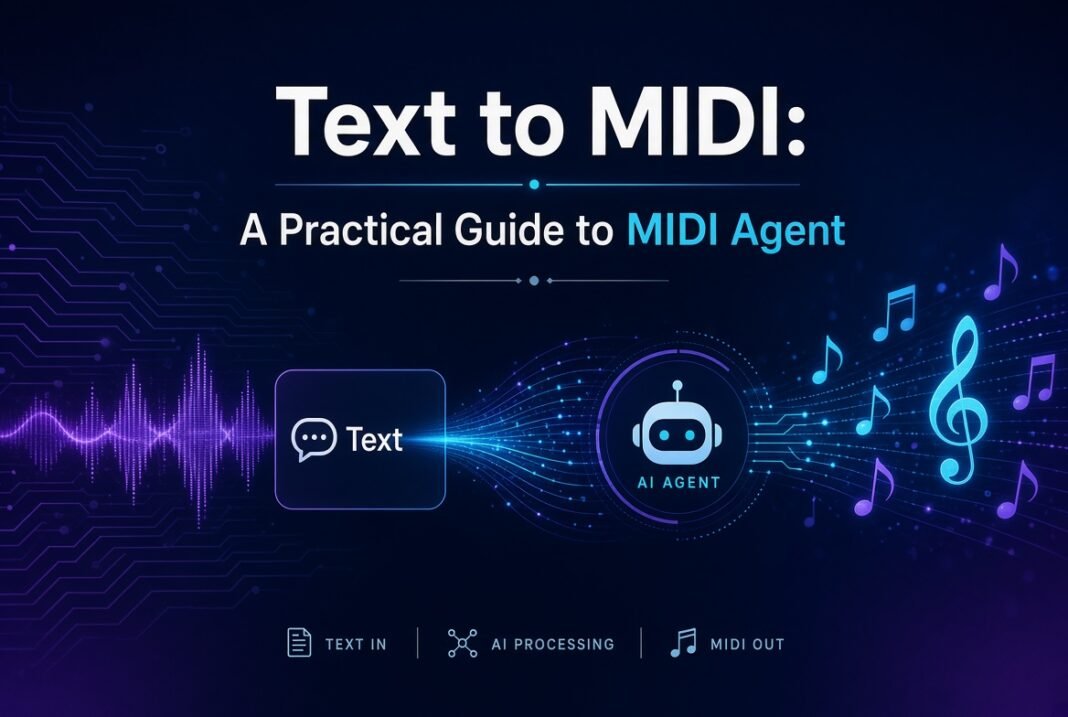


Music production has always balanced inspiration with the mechanics of getting notes onto a timeline. For decades, producers clicked notes into piano rolls, played ideas on MIDI controllers, or relied on loops and chord generators. Text-to-MIDI tools change that equation. Instead of translating a musical idea into individual note events by hand, you describe what you want in plain language and receive editable MIDI. MIDI Agent stands out as one of the most practical implementations of this approach: a dedicated VST/AU/AAX plugin (plus standalone app) that brings large language models directly into your DAW so the output stays fully editable and under your control.
What MIDI Agent Actually Does
MIDI Agent is an AI MIDI generator designed for producers, songwriters, beatmakers, and composers. You write a natural-language prompt—“an 8-bar neo-soul chord progression in D minor with spacious seventh-chord voicings” or “a syncopated house bassline in F minor with space on the downbeats”—and the tool generates corresponding MIDI notes, velocities, and timing. Those notes appear as standard MIDI that you can drag onto any track, assign to any instrument, quantize, humanize, or rewrite in your piano roll.
Unlike audio-only generators that deliver finished (and often hard-to-edit) stems, MIDI Agent prioritizes the traditional production workflow. It also supports audio-to-MIDI transcription and the ability to extend or vary existing MIDI material. Formats include VST3, AU, AAX, and a standalone application that works without a DAW. It runs on Windows and macOS and integrates with major hosts including Ableton Live, FL Studio, Logic Pro, Pro Tools, Cubase, Studio One, Reaper, Bitwig, Reason, and GarageBand.
Core Capabilities
The main text-to-MIDI engine generates melodies, chord progressions, basslines, drum patterns, arpeggios, and longer phrases. You set musical parameters such as key, scale, length in bars, note density, and genre, then refine the request with descriptive language about mood, rhythm, contour, and role in the arrangement.
Beyond generation from scratch, MIDI Agent can extend existing MIDI. Drop a short phrase into the plugin and ask for a four-bar continuation that builds tension, a contrasting variation, a fill, or a transition. It also transcribes audio recordings into MIDI, which works best with clean, relatively dry solo sources such as piano or guitar. The resulting notes become starting material you can correct and develop.
Access to AI models is flexible. You can connect a ChatGPT account, supply your own API keys for providers such as OpenAI, Anthropic (Claude), Google Gemini, xAI (Grok), DeepSeek, or OpenRouter, or run local models through Ollama or LM Studio for offline/private use. An optional MIDI Agent Pro subscription ($20/month after purchasing the plugin license) provides managed access without personal keys, plus specialized models and a monthly generation allowance. The core plugin itself is a one-time purchase.
Getting Started: Installation and First Generation
Installation is straightforward. Download the installer from your account page, choose the formats you need (plugin formats plus standalone if desired), and run it. Default paths follow standard plugin conventions for each operating system. Enter your license key in the settings panel and verify it. Then connect an AI access method—ChatGPT account, provider key, local model, or Pro subscription.
In your DAW, create a MIDI or instrument track and insert MIDI Agent. In the standalone version, generate a file and drag the resulting .mid into any session. Write a clear prompt, set key/scale/length if desired, choose a model, and generate. Review the result, request refinements if needed (“less dense,” “more syncopation,” “higher register”), then drag or export the MIDI onto your target track. From there the usual DAW tools take over: change the instrument, edit notes, adjust velocities, and arrange.
Crafting Effective Prompts
The quality of the output depends heavily on the quality of the prompt. Vague requests produce generic results. Specific, musically grounded language works better. Include the role of the part (melody, chords, bass, drums), harmonic or rhythmic details, contour, density, and feel.
Strong examples include:
- “Write 8 bars of warm neo-soul chords in D minor with spacious seventh-chord voicings.”
- “Create a sparse 4-bar melody in A minor. Start low, rise in bar 3, and leave room between phrases.”
- “Make an 8-bar house bassline in F minor with short, syncopated notes and space on the downbeat.”
- “Create a 4-bar hip-hop drum groove with a half-time snare, swung hats, and a short final fill.”
Describe movement (“starts low, climbs for two beats, then falls back”), rhythm (“syncopated with emphasis on offbeats”), and harmony (“I–vi–IV–V with seventh chords” or “four-voice chords”). Avoid relying solely on artist names; the system responds more reliably to concrete musical attributes. Use custom instructions in settings to encode your preferred style, and attach reference MIDI files when you want the model to stay close to a particular feel. Start new conversations for distinct ideas so context does not become diluted.
Practical Workflows
Chord progressions and harmony. Generate an initial progression, audition it through a piano or electric piano, then ask for inversions, different voicings, or a longer continuation that modulates or builds tension. Move the strongest versions into your arrangement and refine manually.
Melodies and hooks. Request a specific register and contour, then generate several variations. Keep the strongest phrases and rewrite weaker bars in the piano roll. Counter-melodies and call-and-response lines can be generated in follow-up requests.
Basslines. Specify the relationship to the harmony and drums—root movement, walking lines, or sparse syncopated patterns. Short, rhythmic bass ideas often sit better under dense chord or drum material.
Drums and grooves. Describe kick placement, snare feel, hat density, swing, and fills. Map the resulting MIDI to your preferred drum rack or sampler and adjust velocities for dynamics.
Extensions and variations. When you already have a solid loop or section, feed it back into MIDI Agent and request an extension that maintains the harmonic language while increasing energy, a quieter contrast, or a transitional fill. This is especially useful for turning short ideas into full song sections.
Audio-to-MIDI. Record or import a short, clean phrase, transcribe it, then correct obvious pitch or timing errors and develop the idea further with generation tools. Dense mixes or heavily processed audio yield less accurate results, so treat transcription as a starting point rather than a finished product.
Best Practices and Limitations
Use the strongest available models for complex requests; current documentation recommends recent Claude and Gemini models for higher musical coherence. Break large tasks into smaller steps—generate a four-bar idea, evaluate it, then extend or vary it. Keep conversation histories focused. Local models offer privacy and offline capability but depend on your hardware and the quality of the chosen model.
Generated MIDI is yours for personal and commercial use; MIDI Agent does not claim ownership. Like any generative tool, results vary. The plugin accelerates idea generation and reduces blank-page friction, but musical judgment, editing, arrangement, and sound design remain the producer’s responsibility. It is a collaborator that supplies editable material, not a finished-song factory.
Who Benefits Most
Beatmakers and electronic producers gain rapid drum, bass, and melodic starting points. Songwriters use it to break through writer’s block with chord and melody ideas. Film and media composers sketch motifs and tension-building progressions. Educators generate theory examples and genre-specific patterns. Anyone who prefers working with notes rather than rendered audio benefits from the editable output and DAW-native workflow.
Conclusion
Text-to-MIDI tools like MIDI Agent shift the creative bottleneck from note entry to musical decision-making. By combining natural-language prompting with multiple AI backends, flexible access options, and direct DAW integration, the plugin lets producers generate, extend, and refine MIDI material without leaving their session. The practical path is clear: install the plugin or standalone, connect an AI source, write specific musical prompts, generate, edit, and iterate. The result is not automatic music but a faster route from idea to editable notes—exactly what most producers need when inspiration is high and time is limited. With thoughtful prompting and ordinary DAW craftsmanship, text-to-MIDI becomes a reliable part of a modern production toolkit.