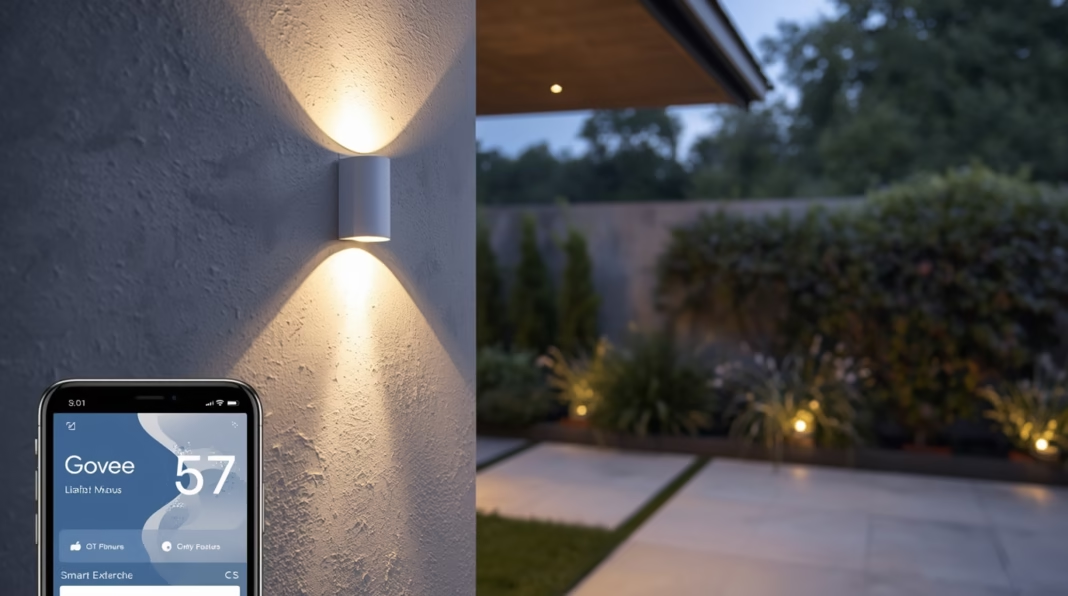
Govee Permanent Outdoor Lights are changing how we illuminate our homes. Unlike seasonal string lights you put up and take down, these systems are installed once for year-round use. They offer everything from subtle architectural accent lighting to vibrant holiday displays, all controlled from your phone. Govee has become a prominent name in this space, known for its powerful smart features and accessible technology.
This guide explains the smart capabilities of Govee’s permanent outdoor lights. We will cover the hardware, the software features that bring it to life, control methods, and practical considerations for installation and performance. By the end, you’ll have a clear understanding of what these lights can do and whether they are the right choice for your home.
What Are Govee Permanent Outdoor Lights?
Govee Permanent Outdoor Lights are LED fixtures designed for long-term installation on a home’s exterior, typically along the eaves, roofline, or gables. They are built to withstand the elements and provide customizable lighting for any occasion. The goal is to offer a single, durable solution for architectural highlighting, holiday decorating, and security illumination.
Govee’s approach centers on smart, addressable LEDs that give you granular control over color, brightness, and effects. This transforms static lighting into a dynamic part of your home’s curb appeal.
Govee Hardware Fundamentals
The magic of Govee’s system starts with its robust hardware. Each component is designed for durability and high performance in an outdoor environment.
Addressable RGBIC LEDs
The core of the system is its RGBIC technology. Unlike standard RGB lights where the entire strip must be the same color, RGBIC (Red, Green, Blue + Independent Chip) allows for individual control. Each LED segment on the string can display a different color simultaneously. This is what makes it possible to create flowing gradients, chasing effects, and intricate multi-color scenes.
Weather Resistance and Durability
Govee’s permanent outdoor lights carry an IP67 rating. This means the light strings themselves are dust-tight and can be submerged in up to one meter of water for 30 minutes. The control box and power adapter typically have a lower IP65 rating, meaning they are protected from dust and water jets but not full submersion. The lights also feature UV-resistant coatings to prevent the lens from yellowing and cracking over time due to sun exposure.
Mounting and Power
The lights are mounted using a combination of strong VHB (Very High Bond) tape and optional clips for added security. They are powered by a single low-voltage power adapter that plugs into a standard outdoor GFCI outlet. The system is designed to be a straightforward DIY project for many homeowners.
In-Depth Smart Features via the Govee Home App
The true power of the Govee system is unlocked through the Govee Home app. It offers a deep suite of customization options that go far beyond simply turning lights on and off.
Dynamic Scenes and Music Sync
The app comes loaded with dozens of pre-programmed dynamic scenes. These range from subtle twinkling effects to lively animations for holidays like Halloween and Christmas.
Music Sync mode uses a microphone to make the lights dance to the beat of your music.
- Built-in Mic: The control box has an integrated microphone that listens for ambient sound and creates light shows in real time.
- Phone Mic: You can also use your phone’s microphone to sync the lights with music playing from any source.
Scheduling and Automation
You can create detailed schedules for your lights. Set them to turn on at dusk and off at dawn, or program specific times for different days of the week. The “Timer” function allows you to set your lights to turn on or off automatically. For more advanced control, the “Automation” tab lets you create “if-then” scenarios. For example, you can set the lights to automatically switch to a specific scene when your smart camera detects motion.
The app also includes a sunrise/sunset offset, which automatically adjusts on/off times based on your local time of day, ensuring your lights are only on when needed.
Granular Color and Zone Control
This is where RGBIC technology shines. You can divide your light string into logical zones or even control each segment individually. This allows you to:
- Set the front of your house to one color and the sides to another.
- Create custom color palettes and apply them across the string.
- “Paint” with light, selecting colors for individual LEDs to design a completely unique look.
- Save your custom creations as new scenes for one-tap access later.
Control Methods and Smart Home Integration
Govee offers multiple ways to control your lights, ensuring they fit seamlessly into your existing smart home ecosystem.
Govee Home App (Wi-Fi and Bluetooth)
The primary control method is the Govee Home app. The system connects to your home’s 2.4GHz Wi-Fi network, which allows you to control the lights from anywhere with an internet connection. If Wi-Fi is unavailable, the lights can also be controlled directly from your phone via a Bluetooth connection when you are within range.
- Wi-Fi: Enables remote access, voice assistant integration, and complex automation.
- Bluetooth: Provides a fallback for local control during internet outages or initial setup.
Voice Assistants
Govee lights integrate with Amazon Alexa and Google Assistant. Once linked, you can use simple voice commands to turn the lights on/off, change colors, adjust brightness, or activate specific scenes. This is perfect for hands-free operation when you’re arriving home or don’t have your phone handy.
Smart Home Ecosystems
While some newer Govee products support the Matter smart home standard, it’s important to check the specific model. For non-Matter devices, integration is typically handled through Alexa or Google Home routines. You can create a “Movie Night” routine, for example, that dims your Govee outdoor lights and your living room lights at the same time.
Installation and Performance Considerations
A successful installation depends on good planning and an understanding of the lights’ performance characteristics.
Installation Tips
- Measure and Plan: Before you buy, measure your eaves to ensure you get the right length. Plan the location of your power outlet and how you will run the power cable.
- Clean the Surface: The VHB tape requires a clean, dry surface to adhere properly. Wipe down your eaves with an isopropyl alcohol solution before installation.
- Avoid Sharp Bends: Do not bend the light strands at a sharp 90-degree angle, as this can damage the internal wiring. Use the included corner pieces or create gentle curves.
- Pair Before Mounting: It’s a good practice to plug in and pair the lights with the app before you climb a ladder. This confirms everything is working correctly.
Performance Notes
- Brightness & Diffusion: The lights are bright enough to wash your walls with color but are not designed as floodlights. The lenses diffuse the light to create a “glow” effect rather than a harsh spotlight.
- Color Accuracy: Govee’s color reproduction is generally very good, offering millions of shades. Whites can sometimes have a slight blue or cool tint compared to dedicated white LEDs.
- Viewing Angle: The lights are designed to be viewed from the ground, pointing downwards. The effect is most dramatic when you have a wall surface for the light to wash against.
Pros and Cons of Govee Permanent Outdoor Lights
Pros:
- Versatility: A single system for year-round architectural and holiday lighting.
- Deep Customization: The Govee Home app offers industry-leading control over colors, effects, and segments.
- DIY-Friendly Installation: Many homeowners can install the system without hiring a professional.
- Strong Smart Home Integration: Works well with Alexa and Google Assistant for voice control and routines.
Cons:
- 2.4GHz Wi-Fi Only: The system does not support 5GHz Wi-Fi networks, which can be an issue in congested areas.
- Visible Fixtures: The puck-style lights are visible during the day, which may not suit every homeowner’s aesthetic.
- Single Power Source: A very long run may experience slight voltage drop, and planning for power can be a challenge on some homes.
Frequently Asked Questions (FAQ)
1. How long do Govee Permanent Outdoor Lights last?
The LEDs are rated for up to 50,000 hours of use. With typical usage, the system is designed to last for many years.
2. Can I cut the light strings to a custom length?
No, the permanent outdoor light strings are sealed for weatherproofing and cannot be cut. It’s essential to purchase the correct length for your home. You can, however, specify in the app which segments to keep off if the string is too long.
3. Do they work in very cold or hot climates?
Yes, the lights are rated for a wide operational temperature range, typically from -4°F to 140°F (-20°C to 60°C), making them suitable for most climates.
4. Can I connect multiple kits together?
No, each kit is powered by its own controller and power supply and is designed to operate as a standalone system. You can, however, group multiple kits together in the Govee Home app to control them simultaneously.
Are They Right For Your Home?
Govee Permanent Outdoor Lights offer a powerful and flexible way to elevate your home’s exterior. They combine the fun of holiday decorating with the elegance of architectural lighting in a single, durable package. If you enjoy smart home technology and want granular control over your home’s appearance for every season and occasion, this system is a compelling option worth considering. We encourage you to measure your home, explore the features in the Govee app, and decide if this smart lighting solution fits your vision.